How do I log in on desktop?
Go to huzihalo.com/login, scan the QR code with your phone, and hit send. No camera handy? Text the code to (415) 726-3224. No password, and the page signs you in on its own.

No password
Nothing to remember, nothing to reset.
Your phone is the key
Use the number you already text Halo from.
Signs you in by itself
Send the code and the page opens your dashboard.
Logging in on desktop, start to finish · 43 sec
1Open the login page on your computer
Go to
huzihalo.com/login
Bookmark it. This is the only address you need.
- Use the top card, Already a member?
- Text Halo is already selected. Leave it.
2Send Halo the code
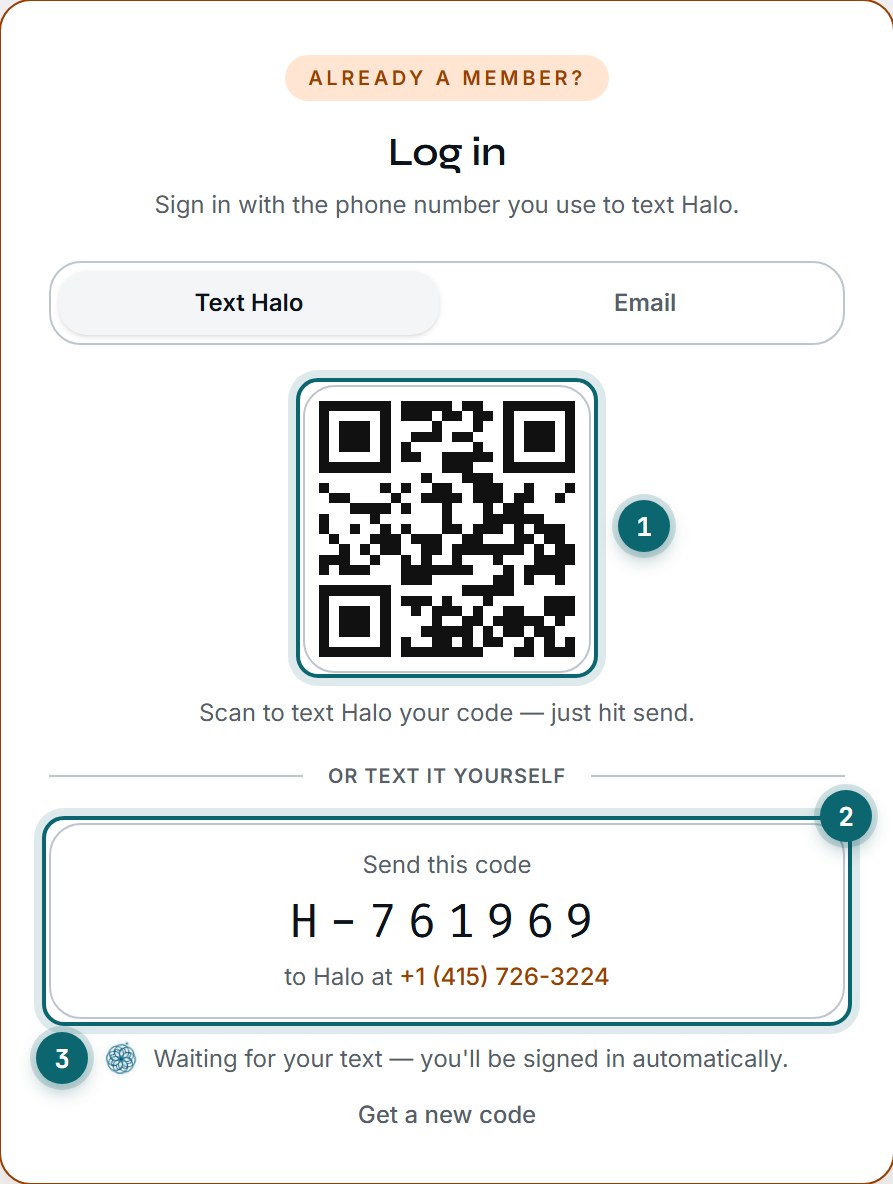
The real login page. Your code will be different every time.
- Scan the QR code with your phone's camera. Your messages open with the code already typed to Halo. Hit send.
- No camera handy? Text the code yourself to (415) 726-3224.
- Keep the page open. It signs you in as soon as your text arrives.
Send it from the phone number on your Halo account. A text from any other number won't sign you in.
Backup: log in with email
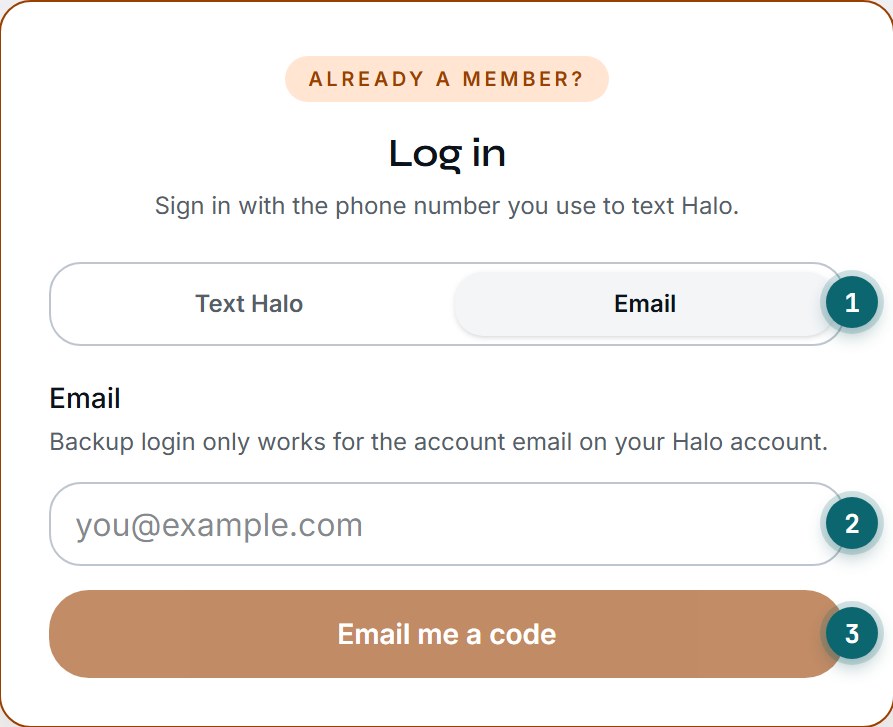
Email is the backup. Text Halo is the only way that signs you in by itself.
- Click the Email tab.
- Type the email on your Halo account.
- Click Email me a code, then type the code from your inbox into the page.
It only works with the email saved on your account. No email saved yet? Add your email in Settings.
Code expired?
Click Get a new code under the code box.
Nothing happened?
Check you texted from the number on your account.
Not sure which number?
Email support and we'll look it up for you.
Still can't get in? The support team can look up your account and get you in.
Email support@huzi.ai