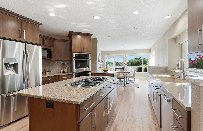
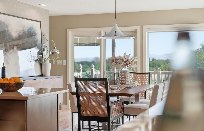
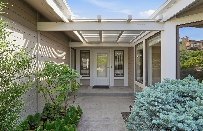
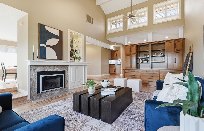
Open the listing and click Complete order. Halo walks you through
six quick picks — a site style, the walkthrough rooms, virtual staging, the furniture
look, and the music — then builds your listing site and walkthrough video from your
photos. Your photos are already sorted by room before you start.
Start from your listing
Open the listing from your dashboard. The Complete your order card is the way in — everything else on this page is the listing itself and its photos.
huzihalo.com
← Back to dashboard
Listing
117 View Dr #D-r
Jerome, ID · 83338
An exceptional property where thoughtful design, comfort and versatility come together. Natural light fills every inch of this spacious home, through expansive windows, creating a bright, warm atmosphere…
Complete your order
A few quick picks and Halo builds the listing site and walkthrough video. Continue when you're ready.
Complete order →
Listing Assets12 assets
Add more photos+ Add photos
The listing page. Complete order opens the builder. Listing Assets is where your photos live — add more any time with + Add photos.
Bringing a listing in from Zillow?
That has not changed — you paste the listing link and Halo pulls the address, description, photos, and specs for you. See How to import a listing from Zillow.
The six picks
1
Let's build your listing
The first screen tells you what you are getting and confirms your photos are already sorted by room. Click Get started.
huzihalo.com
←117 View Dr #D-r, Jerome, ID, 833381/7
Analyzing your listing…
Analyzed 41 of 41…
Let's get started
Let's build your listing
A few quick picks and Halo builds your listing site and walkthrough video.
A listing website
Your own page, live on the web in minutes.
A walkthrough video
Room by room, in the order you choose.
12 photos ready
Already analyzed and sorted by room.
Get started →
Halo has already read your photos and grouped them by room, so the walkthrough starts from a real running order rather than an empty list.
2
Pick a style for your site
This sets the look of the listing page. Leave Pick for me selected and Halo matches a style to the property, or browse the named styles yourself. You can change it later.
huzihalo.com
←117 View Dr #D-r, Jerome, ID, 833382/7
Your website
Pick a style for your site
This sets the look of your listing page. You can change it later.
Pick for me
Halo matches a style to this listing
OR
Search styles — coastal, luxury, modern…
Atelier Swiss
Modern · editorial
Coastal Luxe
Beach · breezy
Estate Vine
Wine-country · golden hour
Mesa Adobe
Desert · dusk adobe
← BackContinue →
Styles are named, with a short descriptor — Atelier Swiss, Coastal Luxe, Estate Vine, Mesa Adobe and more. Search if you have a look in mind.
3
Build the walkthrough
This is the video's running order. Drag the grip to reorder rooms, tap a room to open it, and drag photos between rooms or add your own. Each open room has Rename and Remove room. Video length lives here as a chip at the top — it is no longer a separate step.
huzihalo.com
←117 View Dr #D-r, Jerome, ID, 833383/7
Your video
Build the walkthrough
Drag the grip to reorder rooms. Tap a room to open it, then drag photos between rooms or add your own.
Video length Short ~48s
1
Intro clip
Day to Night · 6s
Rename Remove room
2
Living Room
1 photo · 6s
+
3
Kitchen
1 photo · 6s
4
Master Bedroom
1 photo · 6s
5
Backyard Deck
1 photo · 6s
6
Aerial flyover
6s
7
Closing shot
6s
Room suggestions
More spaces Halo found in your photos. Each one adds 6s.
+ Guest Bedroom+ Home Office+ Dining Room
← BackContinue →
Open a room to Rename it, Remove it, drop a photo, or drag one in from another room. Intro clip, Aerial flyover and Closing shot are locked — Halo handles those.
Open the Intro clip to choose how the video opens. This is where the effect lives — a Day to Night time-lapse or a Blueprint line drawing that builds into the house.
1
Intro clip
Day to Night · 6s
Day to Night
Exterior time-lapse — sunrise through dusk
Blueprint
Architectural line drawing builds into the house
The opening effect is a property of the Intro clip, chosen inside the walkthrough step.
4
Want virtual staging?
Halo clears the room, then furnishes it in the style you pick — so empty or dated spaces show their potential. Answer Yes, stage it or No thanks.
huzihalo.com
←117 View Dr #D-r, Jerome, ID, 833384/7
Your video
Want virtual staging?
Halo clears the room, then furnishes it in the style you pick — so empty or dated spaces show their potential.
As it is
›
Cleared
›
Staged
Yes, stage it× No thanks
← BackContinue →
The three-panel example shows the whole idea: the room as photographed, emptied, then furnished.
5
Which look — and staging animations
Pick the furniture style Halo places in every staged room. Transitional is the safe default. The Staging animations toggle sits on this same screen, just below the furniture grid — turn it on and each staged room transitions from empty to furnished in the video.
huzihalo.com
←117 View Dr #D-r, Jerome, ID, 833385/7
Virtual staging
Which look?
The furniture style Halo places in every staged room.
Transitional
Safe default · warm neutrals
Modern Farmhouse
Shiplap · reclaimed wood
Contemporary
Stark · sculptural
Mid-Century Modern
Walnut · mustard · retro
Staging animations
Animate the vacancy — staged transition in room clips.
← BackContinue →
The furniture style applies to every staged room. Staging animations is the toggle below the grid — it only does anything when staging is on.
6
Pick the music
The soundtrack plays from the start of the video. Tap any track to preview it, or search by feel — upbeat, acoustic, jazz.
huzihalo.com
←117 View Dr #D-r, Jerome, ID, 833386/7
Your video
Pick the music
Plays from the start. Tap any track to preview it.
Search music — upbeat, acoustic, jazz…
Morning Light
Acoustic · gentle
Bright Horizon
Acoustic rock · upbeat
Expansive Acreage
Country · open
Contemporary Build
Soft rock · reverbed
Skyline Groove
Dance · funky
Acoustic Kinetic
Acoustic · energetic
← BackContinue →
Every track shows its genre and mood. Tap to hear it before you commit.
What Halo builds
Once you finish the picks, Halo builds both pieces from the same set: a listing website in the style you chose, and a walkthrough video that follows your room order, with your staging look and music. Both land back on the listing, and you can keep editing after they are built.